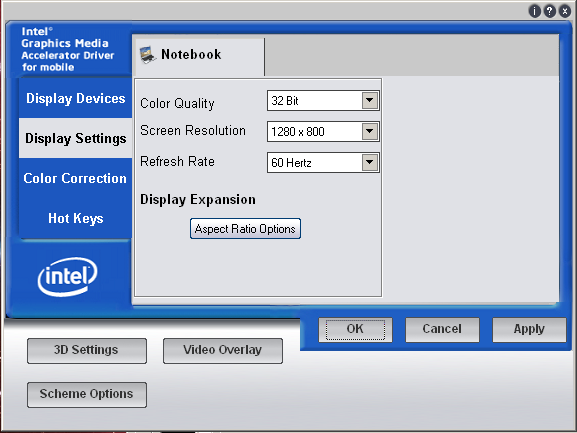
Its only EC not EC 6, also this is the quick 32bit one I've did ;) .
The one I sent you personally added another 2 function specially for
your Device ID.
You used a program to actually check the changed things...... -_-

On Apr 23, 3:36 pm, Espionage724 <[email protected]> wrote:
> No deleted is red with a cross through it, and then next to it is the
> changed character. Green is added.
>
> [i965GM1]
> FeatureScore=EC 6
>
> On Apr 23, 6:35 pm, Espionage724 <[email protected]> wrote:
>
> > Recommended to just download the .doc instead of trying to use google
> > viewer or HTML to view.
>
> > Changes are in green, deleted is in red. Or maybe added is in green,
> > idk
>
> > On Apr 23, 6:33 pm, Espionage724 <[email protected]> wrote:
>
> > > Differences are inside the DOC file of the 965 stock vs Sigma 3 (x86)
>
> > > On Fri, Apr 23, 2010 at 6:07 PM, Espionage724 <[email protected]>
> > > wrote:
> > > > In the x86 versions of the Sigma 3 and 965 package from intel, the
> > > > only difference is
>
> > > > - Async option
> > > > - Memory
> > > > - Named drivers
>
> > > > theres a few other minor changes, I'll find em later
>
> > > > On Fri, Apr 23, 2010 at 5:52 PM, Espionage724 <[email protected]>
> > > > wrote:
> > > >> Well i only quickly analyzed the INF but now I guess ill do a more
> > > >> indeph look :p
>
> > > >> On Fri, Apr 23, 2010 at 5:33 PM, NeoDragon <[email protected]>
> > > >> wrote:
> > > >>> As I said earlier , info on that won't be released to public just
> > > >>> yet ;) . But, I'm kinda ashamed that you can't see what's changed by
> > > >>> yourself.....
>
> > > >>> On Apr 23, 12:06 pm, Espionage724 <[email protected]> wrote:
> > > >>>> But wait? Nobody still never answered what was changed in the INF
> > > >>>> lol.
> > > >>>> because in theroy, 965 users could use Alpha drivers and still get
> > > >>>> the
> > > >>>> same performance as sigma 3.
>
> > > >>>> I'mma go find out for myself what Sigma 2 was based on here...
>
> > > >>>> On Fri, Apr 23, 2010 at 1:00 PM, NeoDragon <[email protected]>
> > > >>>> wrote:
> > > >>>> > @Gerard : These are 965 Drivers.... I told people that they might
> > > >>>> > wanna try, but It's not a 100% sure that you're gonna be able to
> > > >>>> > install it under the 950 ( or for the matter get all the tweaks )
>
> > > >>>> > @DanielPk: Play with the 3DSettings in the intel control Panel. I
> > > >>>> > found that using the "Driver memory footprint" in low usually gives
> > > >>>> > you a good boost for opengl . Might wanna try putting Asynchronous
> > > >>>> > on
> > > >>>> > ( V-Sync ) wich should help quite a bit too.
>
> > > >>>> > On Apr 23, 7:25 am, DanielPK <[email protected]> wrote:
> > > >>>> >> @Irony:
>
> > > >>>> >> bro, i manage the site, and the links are UPDATED "i haven't
> > > >>>> >> included
> > > >>>> >> Sigma 3.0 YET as we still need more testings" but..am not sure at
> > > >>>> >> all..that is pretty strange :S
>
> > > >>>> >> @Everyone:
>
> > > >>>> >> Sigma 3.0 INSTALLED fine under my following specs:
>
> > > >>>> >> Windows7 x86 7600 OEM
> > > >>>> >> T5500 core 2 duo
> > > >>>> >> 3GB Ram
> > > >>>> >> GMA950 "Sigma 3.0"
>
> > > >>>> >> and ever since last week, my laptop's been running fine..though,
> > > >>>> >> the
> > > >>>> >> only performance increase i found was under NFS7/8...i tested
> > > >>>> >> OpenGL
> > > >>>> >> under CS 1.6 and the game still lags like **** :( am getting CS:S
> > > >>>> >> and
> > > >>>> >> WoW to do more testings.
>
> > > >>>> >> The new IMPROVED "reg" tweak is giving lots of performance
> > > >>>> >> increase
> > > >>>> >> indeed...now i was gonna test the "reg" tweak on Alpha drives to
> > > >>>> >> see
> > > >>>> >> if the Sigma 3.0 really is better with or without this "reg"
> > > >>>> >> tweak but
> > > >>>> >> i didn't have the time :( i'll be trying it ASAP.
>
> > > >>>> >> Also...i've got a problem running two games "NOT BECAUSE OF THE
> > > >>>> >> DRIVER" CS 1.6 exits suddenly after like 2-3 minutes of game
> > > >>>> >> play...and it doesn't just happen once or twice...i get bored of
> > > >>>> >> trying it again and again....and again...unless i set HL.exe to a
> > > >>>> >> HIGH
> > > >>>> >> CPU PRIORITY...the game would keep on CTD now and then....also,
> > > >>>> >> L4D
> > > >>>> >> seems to be giving me quite the trouble too...just after the game
> > > >>>> >> reaches the loading part it also goes to CTD, re-installed it many
> > > >>>> >> times...but still same ****...if anybody have idea on how to fix
> > > >>>> >> the
> > > >>>> >> issues, i'd really appreciate it :)
>
> > > >>>> >> On Apr 23, 7:46 pm, Gerard <[email protected]> wrote:
>
> > > >>>> >> > The drivers were actually worse. The new .reg is what is great
> > > >>>> >> > lol.
>
> > > >>>> >> > On Apr 23, 7:04 pm, Espionage724 <[email protected]> wrote:
>
> > > >>>> >> > > your saying L4D runs better with these drivers then Alpha?
>
> > > >>>> >> > > I barely noticed a difference in inf files when compared to
> > > >>>> >> > > Alpha.
> > > >>>> >> > > Thats just me though. But was was changed 965 and 945 users?
> > > >>>> >> > > Like what
> > > >>>> >> > > inf settings?
>
> > > >>>> >> > > On Fri, Apr 23, 2010 at 1:32 AM, Gerard
> > > >>>> >> > > <[email protected]> wrote:
> > > >>>> >> > > > installed on 950, but installer doesn't work. With new .reg
> > > >>>> >> > > > l4d is
> > > >>>> >> > > > playable!
>
> > > >>>> >> > > > On Apr 23, 11:19 am, NeoDragon <[email protected]>
> > > >>>> >> > > > wrote:
> > > >>>> >> > > >> I don't think so :)
>
> > > >>>> >> > > >> On Apr 22, 6:21 pm, Espionage724 <[email protected]>
> > > >>>> >> > > >> wrote:
>
> > > >>>> >> > > >> > Hmm, does anyone here remember when MAD_BEAST said that
> > > >>>> >> > > >> > we only had 1
> > > >>>> >> > > >> > spot for new drivers? Since updates for older drivers
> > > >>>> >> > > >> > isn't allowed,
> > > >>>> >> > > >> > doesn't that mean that its now taken up by Sigma 3.0?
>
> > > >>>> >> > > >> > On Wed, Apr 21, 2010 at 3:10 PM, NeoDragon
> > > >>>> >> > > >> > <[email protected]> wrote:
> > > >>>> >> > > >> > > As of today I'll be a bit less here, my new job is
> > > >>>> >> > > >> > > starting tomorrow
> > > >>>> >> > > >> > > ( believe it or not, I plant tree's in the
> > > >>>> >> > > >> > > spring/summer, so your kids
> > > >>>> >> > > >> > > can actually have some air to breathe... and it's good
> > > >>>> >> > > >> > > for my wallet
> > > >>>> >> > > >> > > too XD ) but I'll stop by everynow and then to see
> > > >>>> >> > > >> > > what's going on.
> > > >>>> >> > > >> > > Keep the idea's coming and in order, cause I already
> > > >>>> >> > > >> > > have some good
> > > >>>> >> > > >> > > idea's for the next Drivers :). Don't expect them
> > > >>>> >> > > >> > > until Intel release
> > > >>>> >> > > >> > > an official updated driver package first tho, as we
> > > >>>> >> > > >> > > need them to fix
> > > >>>> >> > > >> > > some of the **** work they're known to be doing.
>
> > > >>>> >> > > >> > > Oh, and make sure you try Sigma 3.0 !!! =)
>
> > > >>>> >> > > >> > > On Apr 20, 1:25 am, IronyTaken <[email protected]>
> > > >>>> >> > > >> > > wrote:
> > > >>>> >> > > >> > >> I use Windows 7 and I downloaded the Alpha drivers
> > > >>>> >> > > >> > >> from the site.
>
> > > >>>> >> > > >> > >>http://9xxssf.info/downloads/
>
> > > >>>> >> > > >> > >> On Apr 19, 7:56 pm, DanielPK
> > > >>>> >> > > >> > >> <[email protected]> wrote:
>
> > > >>>> >> > > >> > >> > @lolattheotherguy & Espi
>
> > > >>>> >> > > >> > >> > guys thanx for the tips...but i don't think its
> > > >>>> >> > > >> > >> > about dusting or
> > > >>>> >> > > >> > >> > anything like that...its abt the voltage of my C2D
> > > >>>> >> > > >> > >> > and the voltage my
> > > >>>> >> > > >> > >> > mobo supports...hmmmm...i think one is higher than
> > > >>>> >> > > >> > >> > the other...which
> > > >>>> >> > > >> > >> > means its the CPU XD so thats why its generating
> > > >>>> >> > > >> > >> > the heat..couple of
> > > >>>> >> > > >> > >> > days ago i did full dust blowing with a thin-tip
> > > >>>> >> > > >> > >> > compressed air...got
> > > >>>> >> > > >> > >> > all the dust out, and the thermal paste is still
> > > >>>> >> > > >> > >> > fine i see :)
>
> > > >>>> >> > > >> > >> > @irony....thats strange o_0...are u using windows7
> > > >>>> >> > > >> > >> > ?? because i found
> > > >>>> >> > > >> > >> > this settings under this OS..maybe..also, are u
> > > >>>> >> > > >> > >> > using Neo's driver?
>
> > > >>>> >> > > >> > >> > On Apr 20, 7:07 am, IronyTaken
> > > >>>> >> > > >> > >> > <[email protected]> wrote:
>
> > > >>>> >> > > >> > >> > > I don't have that feature listed.
>
> > > >>>> >> > > >> > >> > > This is what I have.
>
> > > >>>> >> > > >> > >> > >http://i162.photobucket.com/albums/t276/RyviusRanger/display.png
>
> > > >>>> >> > > >> > >> > > On Apr 19, 4:07 am, DanielPK
> > > >>>> >> > > >> > >> > > <[email protected]> wrote:
>
> > > >>>> >> > > >> > >> > > > -select "Screen resolution" from the desktop
> > > >>>> >> > > >> > >> > > > properties.
> > > >>>> >> > > >> > >> > > > -click on "Advanced Settings"
> > > >>>> >> > > >> > >> > > > -go to the driver tab and click graphic
> > > >>>> >> > > >> > >> > > > properties
> > > >>>> >> > > >> > >> > > > -go to Display settings tab
> > > >>>> >> > > >> > >> > > > -click on power settings and you should find a
> > > >>>> >> > > >> > >> > > > "Slider"
>
> > > >>>> >> > > >> > >> > > > if u want more heat set to "Disable power
> > > >>>> >> > > >> > >> > > > saving" else try "Good power
> > > >>>> >> > > >> > >> > > > saving"
>
> > > >>>> >> > > >> > >> > > > experiment with different settings...i get more
> > > >>>> >> > > >> > >> > > > FPS but with sacrifice
> > > >>>> >> > > >> > >> > > > to more heat generated :( maybe you'll have
> > > >>>> >> > > >> > >> > > > different luck!
>
> > > >>>> >> > > >> > >> > > > On Apr 19, 4:30 pm, IronyTaken
> > > >>>> >> > > >> > >> > > > <[email protected]> wrote:
>
> > > >>>> >> > > >> > >> > > > > I don't see it.
>
> > > >>>> >> > > >> > >> > > > > I went into my display settings under the
> > > >>>> >> > > >> > >> > > > > graphics options and didn't
> > > >>>> >> > > >> > >> > > > > see it.
>
> > > >>>> >> > > >> > >> > > > > On Apr 18, 11:53 pm, DanielPK
> > > >>>> >> > > >> > >> > > > > <[email protected]> wrote:
>
> > > >>>> >> > > >> > >> > > > > > there is this option when we check the
> > > >>>> >> > > >> > >> > > > > > settings of the GMA950...under
> > > >>>> >> > > >> > >> > > > > > Display settings>>>>Power Settings.
>
> > > >>>> >> > > >> > >> > > > > > Power saving and performance
> > > >>>> >> > > >> > >> > > > > > settings...changing that to "Disable
> > > >>>> >> > > >> > >> > > > > > power saving" has made a huge FPS increase
> > > >>>> >> > > >> > >> > > > > > for some of the games i
> > > >>>> >> > > >> > >> > > > > > play...but with the side effect or more
> > > >>>> >> > > >> > >> > > > > > heat :( ...also if u click on
> > > >>>> >> > > >> > >> > > > > > "Modify Settings" you get another window
> > > >>>> >> > > >> > >> > > > > > with (intel rapid memory
> > > >>>> >> > > >> > >> > > > > > power management) and (intel smart 2D
> > > >>>> >> > > >> > >> > > > > > display technology) do any of
> > > >>>> >> > > >> > >> > > > > > these settings affect game/pc performance??
>
> > > >>>> >> > > >> > >> > > > > > On Apr 19, 2:14 pm, hussam aulaian
> > > >>>> >> > > >> > >> > > > > > <[email protected]> wrote:
>
> > > >>>> >> > > >> > >> > > > > > > @THEfog : u r totaly right
> > > >>>> >> > > >> > >> > > > > > > guys , they hav amazing guides
>
> > > >>>> >> > > >> > >> > > > > > > --
> > > >>>> >> > > >> > >> > > > > > > INTEL 9xx SOLDIERS
>
> ...
>
> read more »

--
INTEL 9xx SOLDIERS SANS FRONTIERS

Subscription settings:
http://groups.google.com/group/intel9x-gaming/subscribe?hl=en