4D Tech mailing list wrote
> For many projects, I’m working with a larger team where the precise size
> of fonts and other stylesheet details are already decided. In this case,
> I’m designing new forms and optimizing some old ones via Windows 10 (for a
> legacy application that looks like it ran on a Mac Plus) and I wanted to
> make a wise choice about an approach with respect to: stylesheets; optimal
> fonts and sizes for each platform and what to do about form scaling, if
> anything. I’ve never thought much about the form scaling feature of 4D but
> it seems like scaling is always in effect with a default of  "Windows to
> Mac (75%)”.
>
> Form Scaling... Is this still a thing? :)
>
> While converting a v11-based structure to v17 that started life on a Mac
> many years before, I noticed that most forms seemed rather small on
> Windows (currently the only destination platform but I don’t want to
> exclude Mac clients). At first, the 133% increase in form size seemed
> seemed to fit the bill (if not slightly large). One issue I noticed is
> that the glass button graphics are obviously scaled beyond the bitmap
> (meaning that these buttons only look sharp at 48X48 and all standard 4D
> buttons are this size). I’ve never noticed scaling artifacts on other
> projects.
>
> V17 Default Stylesheet
> Windows 7 & 8 (Segoe UI, 12 point)
> Windows Classic (MS Sans Serif, 12 point)
> OS X (Lucida Grande, 13 point)
>
> Regarding the default stylesheet, what is “Windows Classic” and what
> stylesheet would Windows 10 use?
>
> Which Windows fonts and sizes do you find optimal for your 4D
> applications? Do you use explicit stylesheets? Do you use automatic
> stylesheets too?  Scaling other than 133%? I saw recently where 125% was
> considered optimal. I appreciate your thoughts on modern, high-quality
> form design.
>
> Thanks,
>
> Robert
Robert,

there is a 4D Technote from 2015 (World Tour)

08_Zoom_Form

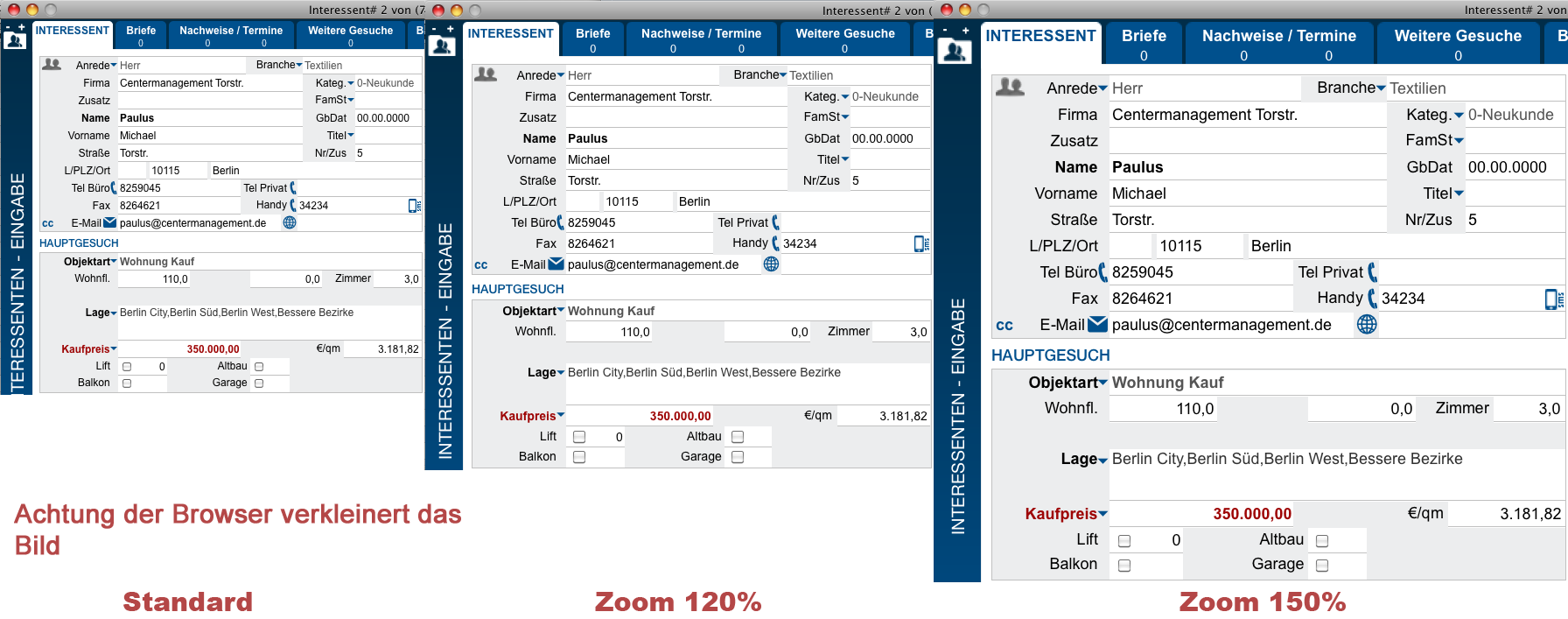
With this Technote and some modifications, you can zoom your forms
individually.
The code resizes and moves the form objects and increase the font sizes with
code.

sample screen from the same form: http://node.de/pic/ex7/zoom.png

I've used this code for 4D v12 and now with v16

Regards Armin


--
Sent from: http://4d.1045681.n5.nabble.com/4D-Tech-f1376241.html
**********************************************************************
4D Internet Users Group (4D iNUG)
Archive:  http://lists.4d.com/archives.html
Options: https://lists.4d.com/mailman/options/4d_tech
Unsub:  mailto:[email protected]
**********************************************************************