Yes, you can use the exact same information in the scripts/overviews file
and convert the vtf to jpg as long as it's 1024x1024. Otherwise, follow the
steps here:
http://developer.valvesoftware.com/wiki/Level_Overviews
The txt files should have:
scale, pos_x, pos_y

When you finish, feel free to post on the forums and I can include them if
you'd like.

-----Original Message-----
From: [email protected]
[mailto:[email protected]] On Behalf Of ics
Sent: Tuesday, October 05, 2010 12:04 AM
To: Half-Life dedicated Win32 server mailing list
Subject: Re: [hlds] SourceOP Plugin for Orangebox

  About the overviews, i noticed that there are some ready but what way they
should be taken for custom maps? For example i have 6 CS Source maps, where
i have overview images ready (took them during map creations for the radar
images). Can i use those directly and then use the information from the
scripts/overviews file? Cs_office has 4.10, -1838,
1858 on the file, those are scale, pos_x and pos_y? Will it work if i just
convert the vtf to jpg and then add those or do you have some other method
for this?

-ics

5.10.2010 7:53, Tony Paloma kirjoitti:
> It's not configured to. Right now just CSS, TF2, HL2MP. DOD:S will be
next.
> But if ZPS is orangebox, it should be easy to do.
>
> -----Original Message-----
> From: [email protected]
> [mailto:[email protected]] On Behalf Of Violent
> Crimes
> Sent: Monday, October 04, 2010 9:22 PM
> To: Half-Life dedicated Win32 server mailing list
> Subject: Re: [hlds] SourceOP Plugin for Orangebox
>
> Will this work on mods like zps?
>
> -----Original Message-----
> From: Tony Paloma<[email protected]>
> Sent: Monday, October 04, 2010 8:49 PM
> To: Half-Life dedicated Win32 server mailing list
> <[email protected]>; Half-Life dedicated Linux server
> mailing list <[email protected]>
> Subject: [hlds] SourceOP Plugin for Orangebox
>
> Hey list,
>
>
>
> When I was talking about this in the IRC channel a while ago, it
> seemed like there was a bit of interest, so I thought I'd bring it up
> here for more visibility.
>
>
>
> This weekend I released a beta for my SourceOP plugin. SourceOP is
> basically an admin mod type of plugin with features similar to Mani and
SourceMod.
> However, there are two distinguishing features that everyone seems to
> agree are pretty sweet.
>
>
>
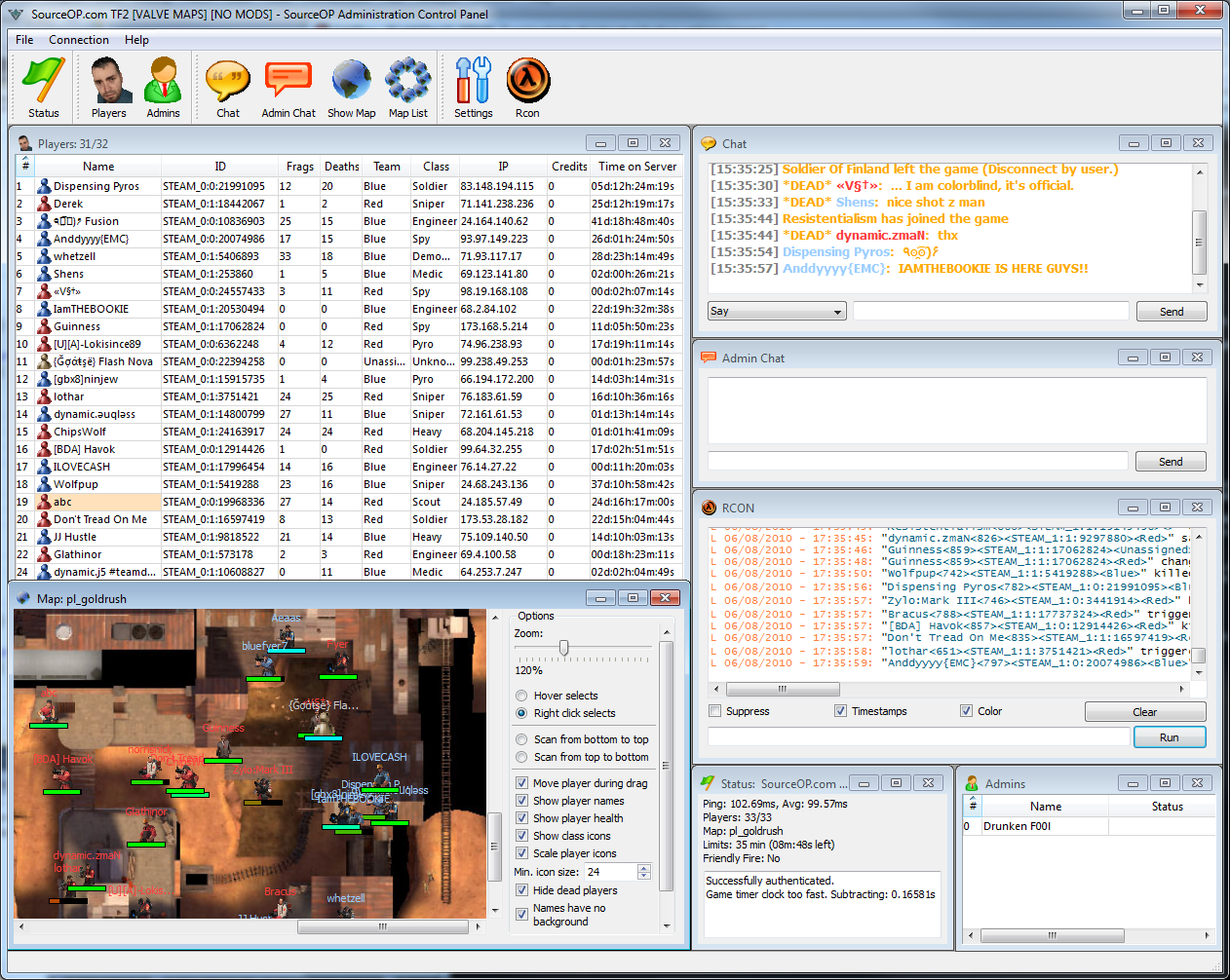
> The first is the ability to remotely admin your server. With a
> separate client program, you can connect to your server, deal with
> players, eavesdrop on their chat, and also hear everything they are
> saying over voice chat. Not only that, but with the 2D overview, you
> can see where everyone is in real-time allowing easy access to find
> and deal with trouble makers without starting the game. Here is a quick
screenshot showing everything in action:
>
> http://www.sourceop.com/randomimages/remote_admin_20100608.png
>
>
>
> The second-most-awesome feature is the Lua scripting engine. It is
> possible to implement commands, features, and even custom entities
> that maps can use from a SourceOP script. Many of the commands and
> features are implemented in Lua, so there are plenty of examples to
> help get you started if you wanted to customize or write your own scripts.
>
>
>
> Every feature is disableable, so if you wanted to use only the remote
> admin or only the entity editing commands, that is certainly possible.
>
>
>
> This is a beta release, but it's the same plugin I've been using
> exclusively on my own TF2 servers for years, so it should be pretty
> stable. The only thing majorly lacking right now is documentation. If
> you'd like to help out with that, please shoot me an email and I will
> get you everything you need to help.
>
>
>
> If you're interested, you can find more information on the wiki here:
>
> http://www.sourceop.com/wiki/Main_Page
>
> Downloads page is here:
>
> http://www.sourceop.com/modules.php?name=Downloads
> <http://www.sourceop.com/modules.php?name=Downloads&d_op=viewdownload&;
> cid=1>
> &d_op=viewdownload&cid=1
>
>
>
> If you try it and run into any problems at all, please do not hesitate
> to bring them forward either by email to me or on the forums.
>
>
>
> Thanks,
>
> Tony
>
>
>
> _______________________________________________
> To unsubscribe, edit your list preferences, or view the list archives,
> please visit:
> http://list.valvesoftware.com/mailman/listinfo/hlds
>
>
> _______________________________________________
> To unsubscribe, edit your list preferences, or view the list archives,
> please visit:
> http://list.valvesoftware.com/mailman/listinfo/hlds
>
>
> _______________________________________________
> To unsubscribe, edit your list preferences, or view the list archives,
please visit:
> http://list.valvesoftware.com/mailman/listinfo/hlds


_______________________________________________
To unsubscribe, edit your list preferences, or view the list archives,
please visit:
http://list.valvesoftware.com/mailman/listinfo/hlds


_______________________________________________
To unsubscribe, edit your list preferences, or view the list archives, please
visit:
http://list.valvesoftware.com/mailman/listinfo/hlds