Hi,

I'm still waiting for my replacement Ni-Cad battery but I've been
continuing using my M100 without any other issue... until tonight.
When I turned it on, the "low battery" light was on, and the date
displayed on the first line was wrong: ◥5ÿ 00,1919 Sun 00:00:00
I switched it off and on again, and it stayed this way. That's when I
noticed the keyboard wasn't responsive. Also the first 3 characters
flash every now and then (here is a 11 seconds video:
https://www.youtube.com/watch?v=jjUw2XpB0Gw ; it happens around 00:03)

I verified the voltage of the AA batteries and found 5.9V. Should be
OK but I still changed them.
Now the first line displays something like this: ros ??,1920 ñ)s ??:??:??
...and the keyboard is still non-responsive

I tried the reset button, which had no effect (the computer restarts
in the same state), and the whole reset (Ctrl+Break+Reset), which
removed all files from the ram filesystem but it's still stuck.

After a quick look inside, the Ni-Cad battery didn't seem to have
started to leak, and I measured about 4.9V to its pins; I also noted a
faint buzzing sound coming from the LCD area while it was open.

I also tried to switch the "memory power" switch off, remove the
batteries, replace the batteries, switch everything on again... same
result.

At this point, I'm out of ideas... Any suggestion about how to
diagnose and fix this problem?

Eric

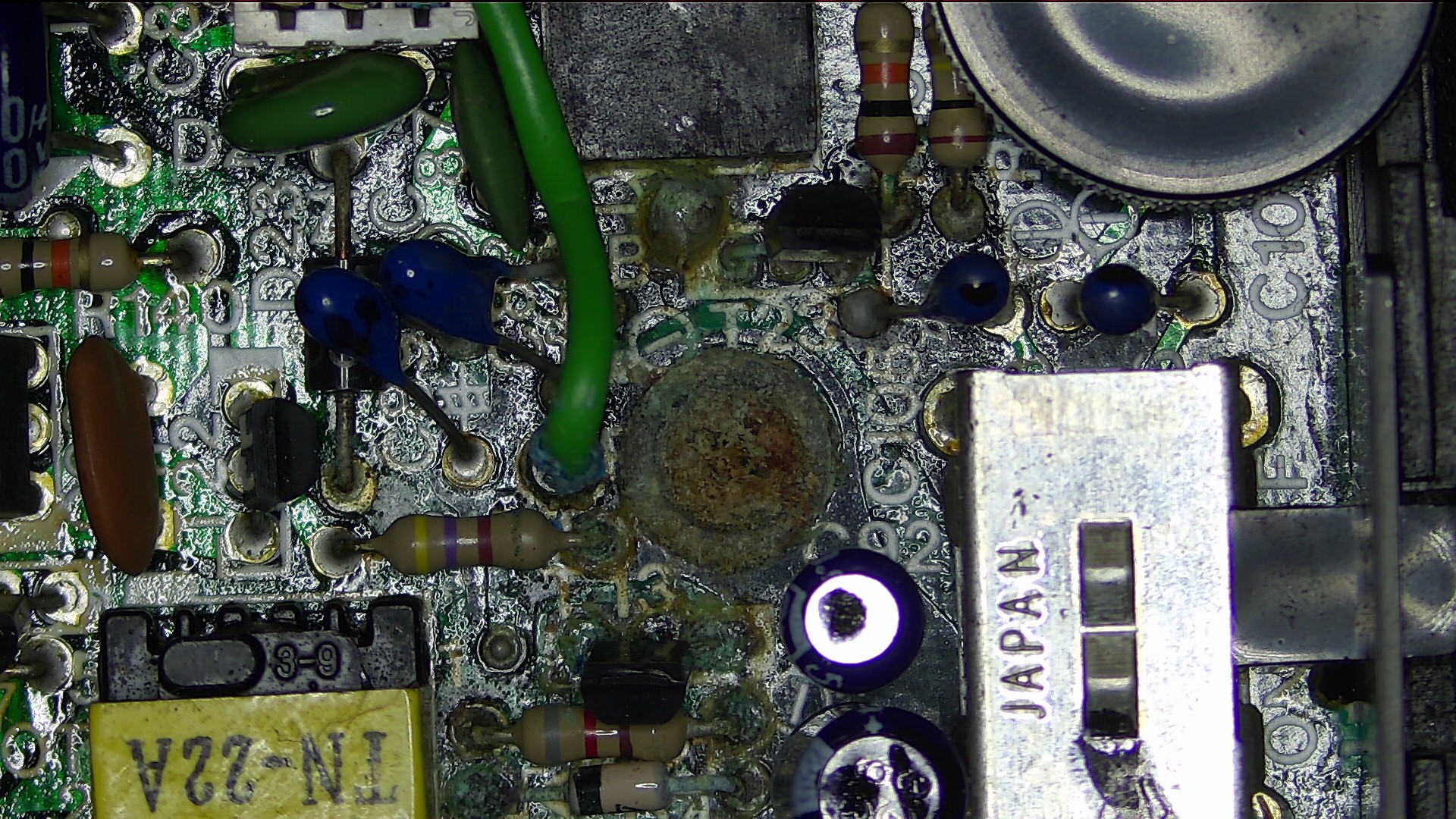
PS: There is a kind of battery leak damage around a screw on the
motherboard, but it's nowhere near any battery (it's located on the
left of the power switch). I noticed it when I first opened it a few
days ago, and I planned to give it a clean with isopropyl Alcohol when
I'll change the Ni-Cad but I didn't touch it yet. Could it be related
to today issue? Here is a picture :
http://pics.lefauve.org/20-32-45.jpg