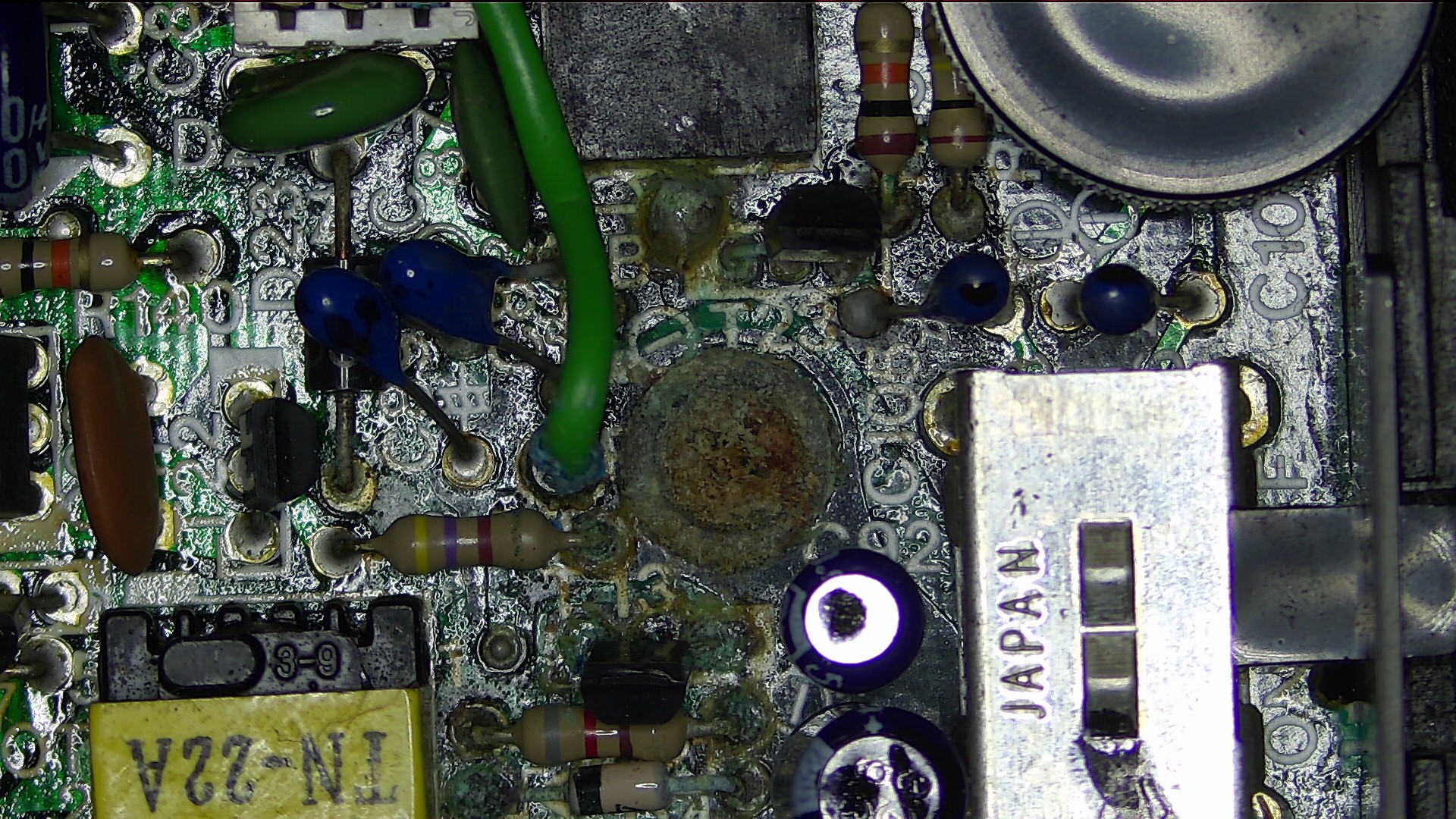
I too had this problem of random date data & unresponsive keyboard,
albeit with a T102. It usually came right after being on 10mins, but
eventually didn't. I found there was no Timing Pulse (TP) from the RTC.
This lead me to Chip Select (CS) which was open. It is fed by /RESET so
should have been hi. I had another T102 open at the time so checked
this. Tied CS to /RESET elsewhere & all good ever since.
Philip
On 7/01/2019 5:01 AM, Fugu ME100 wrote:
If fixing the board voltages does not remove the problem the next
issue could be dry joints near the clock chip, at least on two
machines I repaired that was the problem. It looks like the clock
chip was placed as a second op when the boards were made and the
soldering was not very good. In one case it was a cracked joint near
the clock chip and the other was just a really bad joint that had
failed over time – there was a hole without any solder. Simply
pressing down on the clock chip area allowed the board to work properly.
The fact, in this case, the keyboard does not work seems to indicate
that the area near the keyboard connector has problems. The clock
chip happens to be in that section of the board too. When the unit is
closed the keyboard cables press down quite hard on the board and it
does flex very slightly. So an open unit might work and the close
unit does not – that’s how I found the issue the first time :)
From: M100 <[email protected]
<mailto:[email protected]>> on behalf of Stephen
Adolph <[email protected] <mailto:[email protected]>>
Reply-To: <[email protected] <mailto:[email protected]>>
Date: Sunday, January 6, 2019 at 7:44 AM
To: "[email protected] <mailto:[email protected]>"
<[email protected] <mailto:[email protected]>>
Subject: [M100] M100 stuck on the menu with weird date :o(

    I have at least one machine with this type of error. Would be
    great to figure out what has to break for that to occur.


    On Sun, Jan 6, 2019 at 8:37 AM Eric LK <[email protected]
    <mailto:[email protected]>> wrote:

        Hi,

        I'm still waiting for my replacement Ni-Cad battery but I've been
        continuing using my M100 without any other issue... until tonight.

        When I turned it on, the "low battery" light was on, and the date
        displayed on the first line was wrong: ◥5ÿ 00,1919 Sun 00:00:00
        I switched it off and on again, and it stayed this way. That's
        when I
        noticed the keyboard wasn't responsive. Also the first 3
        characters
        flash every now and then (here is a 11 seconds video:
        https://www.youtube.com/watch?v=jjUw2XpB0Gw

<https://nam03.safelinks.protection.outlook.com/?url=https%3A%2F%2Fwww.youtube.com%2Fwatch%3Fv%3DjjUw2XpB0Gw&data=02%7C01%7C%7C8f993c2343034bc27abc08d673edca83%7C84df9e7fe9f640afb435aaaaaaaaaaaa%7C1%7C0%7C636823862467379087&sdata=cmQTskMFM1pM5gjccgKZUieLdyaplQeGjfTzkgt6U18%3D&reserved=0>
        ; it happens around 00:03)

        I verified the voltage of the AA batteries and found 5.9V.
        Should be
        OK but I still changed them.
        Now the first line displays something like this: ros ??,1920
        ñ)s ??:??:??
        ...and the keyboard is still non-responsive

        I tried the reset button, which had no effect (the computer
        restarts
        in the same state), and the whole reset (Ctrl+Break+Reset), which
        removed all files from the ram filesystem but it's still stuck.

        After a quick look inside, the Ni-Cad battery didn't seem to have
        started to leak, and I measured about 4.9V to its pins; I also
        noted a
        faint buzzing sound coming from the LCD area while it was open.

        I also tried to switch the "memory power" switch off, remove the
        batteries, replace the batteries, switch everything on
        again... same
        result.

        At this point, I'm out of ideas... Any suggestion about how to
        diagnose and fix this problem?

        Eric

        PS: There is a kind of battery leak damage around a screw on the
        motherboard, but it's nowhere near any battery (it's located
        on the
        left of the power switch). I noticed it when I first opened it
        a few
        days ago, and I planned to give it a clean with isopropyl
        Alcohol when
        I'll change the Ni-Cad but I didn't touch it yet. Could it be
        related
        to today issue? Here is a picture :
        http://pics.lefauve.org/20-32-45.jpg

<https://nam03.safelinks.protection.outlook.com/?url=http%3A%2F%2Fpics.lefauve.org%2F20-32-45.jpg&data=02%7C01%7C%7C8f993c2343034bc27abc08d673edca83%7C84df9e7fe9f640afb435aaaaaaaaaaaa%7C1%7C0%7C636823862467535331&sdata=BH6fZ7k9EYctT7nLCuYiHHLEcOcw4qshqrh3uQcEXyQ%3D&reserved=0>