); SAEximRunCond expanded to false
Errors-To: [EMAIL PROTECTED] RETRY

Tom Van Baak wrote:
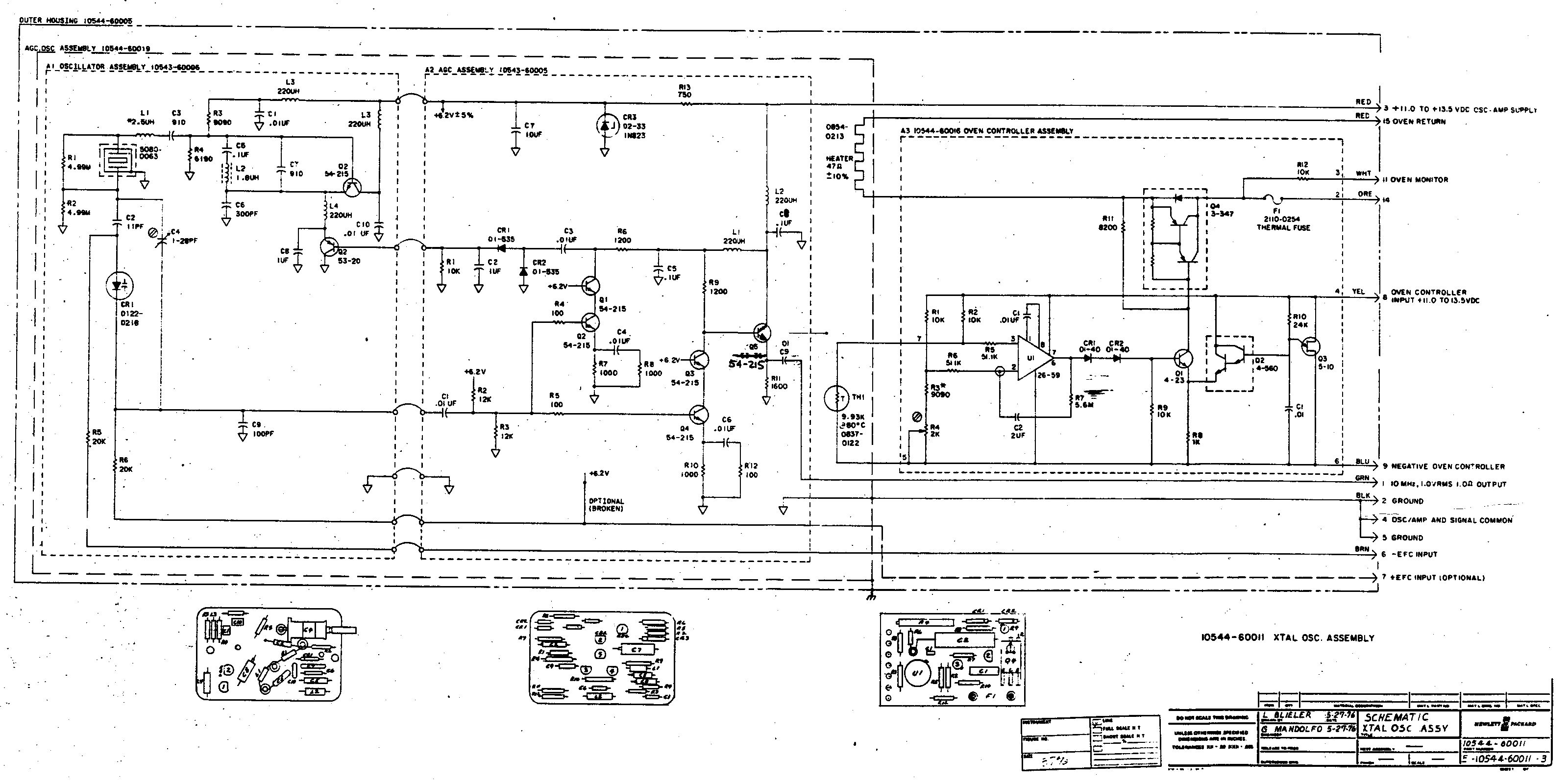
>>> http://www.leapsecond.com/museum/10544/10544-3.gif
>>>
>>>
>> I scanned that as a 3200x1600 high-resolution GIF file. If you
>> use modern versions of IE, you have to click on the image to
>> put it back to original scale (IE shrinks large images without
>> asking you first). Someone that knows html well can tell me how
>> to present oversized image files that IE won't take liberties with.
>>
>> R5 and R6 on either side of the varicap are 20k each.
>>
>> /tvb
>>
>>
Tom
On my Linux machine:
Epithany defaults to full size and clicking on the image shrinks it to
fit the screen.
Opera defaults to full size and one has to use the menu system to shrink it.
Konqueror defaults to fitting the image to the window, the menus system
allows it to be displayed full size.
Seamonkey defaults to full size with navigation bars, clicking on the
image shrinks it to fit the window.
Firefox defaults to fitting the image to the window and clicking on it
dispalys it full size with navigation bars.

Bruce

_______________________________________________
time-nuts mailing list -- [email protected]
To unsubscribe, go to https://www.febo.com/cgi-bin/mailman/listinfo/time-nuts
and follow the instructions there.