On vendredi 08 mai 09, at 22:15, Jean-Baptiste Faure wrote:
Je reprendrai ça ce soir en comparant à ta version html.
Jean-Baptiste,
Mon HTML a le même style général que la version anglaise puisque j'ai
repris exactement le même HTML. Le rendu correspond au style général
de la page.
Voilà un exemple du HTML d'origine (qui se retrouve dans ce que j'ai
attaché):
================
<tr>
      <td>
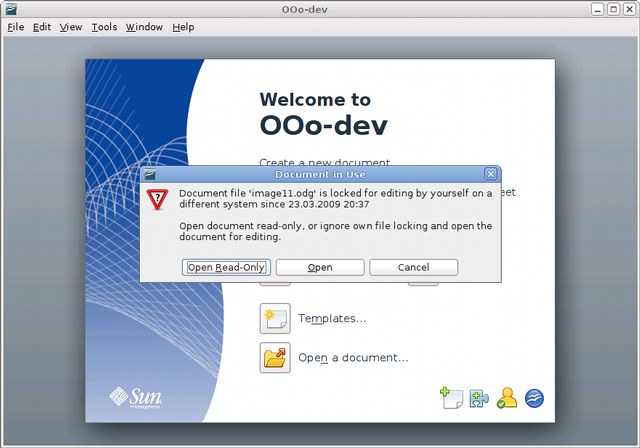
        <h2><a name="r1.3" id="r1.3"></a>Improved file locking</h2>
<p>If you are working on a network where several people may
have
access to the same document, <em>file locking</em> prevents
people
accidentally overwriting other people's changes. As
OpenOffice.org
works on different operating systems, it cannot rely on the
operating
system alone to tell users when a document is in use.
OpenOffice.org
now has its own mechanism, which allows it to have a reliable
locking
when the locking from the operating systems fails. It also
allows
OpenOffice.org to see who has already opened the document.</p>
</td>
<td style="text-align:right">
<div align="center"><img class="MyPics" src=
"images/image13-small.png" alt="small screenshot" /></div>
</td>
<td style="text-align:right">
<div align="center">
<a href="images/image13-screen.png"><img class="MyPics" src=
"images/image13-big.png" alt="big screenshot" /></a>
</div>
</td>
</tr>
================
Et voilà le HTML actuel:
<tr>
<td colspan="4" class="liteblue">
<h3><a name="r1.3"></a>Verrouillage
des fichiers amélioré </h3>
</td>
</tr>
<tr>
<td colspan="4" class="tableF0">
<table cellpadding="0" cellspacing="10">
<tbody>
<tr>
<td><img src="imnouv3.1/image13-small.png" alt="" style="border: 0px
solid ; width: 175px; height: 54px;"></td>
<td><a href="http://www.openoffice.org/dev_docs/features/3.1/images/image13-screen.png
"><img src="imnouv3.1/image13-big.png" alt=""></a></td>
<td align="left" valign="middle"><br>
Si vous travaillez sur un réseau <b class="moz-txt-star"><span
class="moz-txt-tag"></span><span class="moz-txt-tag"></span></b>où
plusieurs personnes peuvent avoir accès au même document, le
verrouillage de fichiers évite l'écrasement accidentel des
changements effectués par d'autres personnes. Comme
OpenOffice.org fonctionne sous différent<b class="moz-txt-star"><span
class="moz-txt-tag"></span><span class="moz-txt-tag"></span></
b>s <b class="moz-txt-star"><span class="moz-txt-tag"></
span><span class="moz-txt-tag"></span></b>systèmes
d'exploitation, il ne peut se reposer exclusivement
sur  ceux-ci pour prévenir les utilisateurs
quand un document est ouvert. OpenOffice.org a maintenant son propre
mécanisme, ce qui lui permet d'avoir un verrouillage stable quand celui
du système d'exploitation a échoué. Il permet également à
OpenOffice.org de montrer qui a déjà ouvert le document.
<br>
</td>
</tr>
=================
Tu vois bien que ce qui a été généré (dans OOo ?) ne donne pas un
rendu correct à cause des multiples codes ajoutés (taille des image,
ajouts de styles). Il y a quantité d'espaces insécables inutiles (les
), de code farfelu (<b class="moz-txt-star"><span class="moz-txt-
tag"></span><span class="moz-txt-tag"></span></b>s <b class="moz-
txt-star"><span class="moz-txt-tag"></span><span class="moz-txt-tag"></
span></b>, qui ne met strictement rien en gras).
En bref, le document en ligne aujourd'hui est non seulement non
conforme au style général du site mais en plus pas joli.
J'imagine que tu as passé du temps à créer ça, mais tu peux aussi
faire confiance aux personnes qui ont des compétences spécifiques pour
ce genre de tâches, ça permettra au site d'avoir un aspect
professionnel.
Cordialement,

Jean-Christophe
---------------------------------------------------------------------
To unsubscribe, e-mail: [email protected]
For additional commands, e-mail: [email protected]