Hi Jerri,
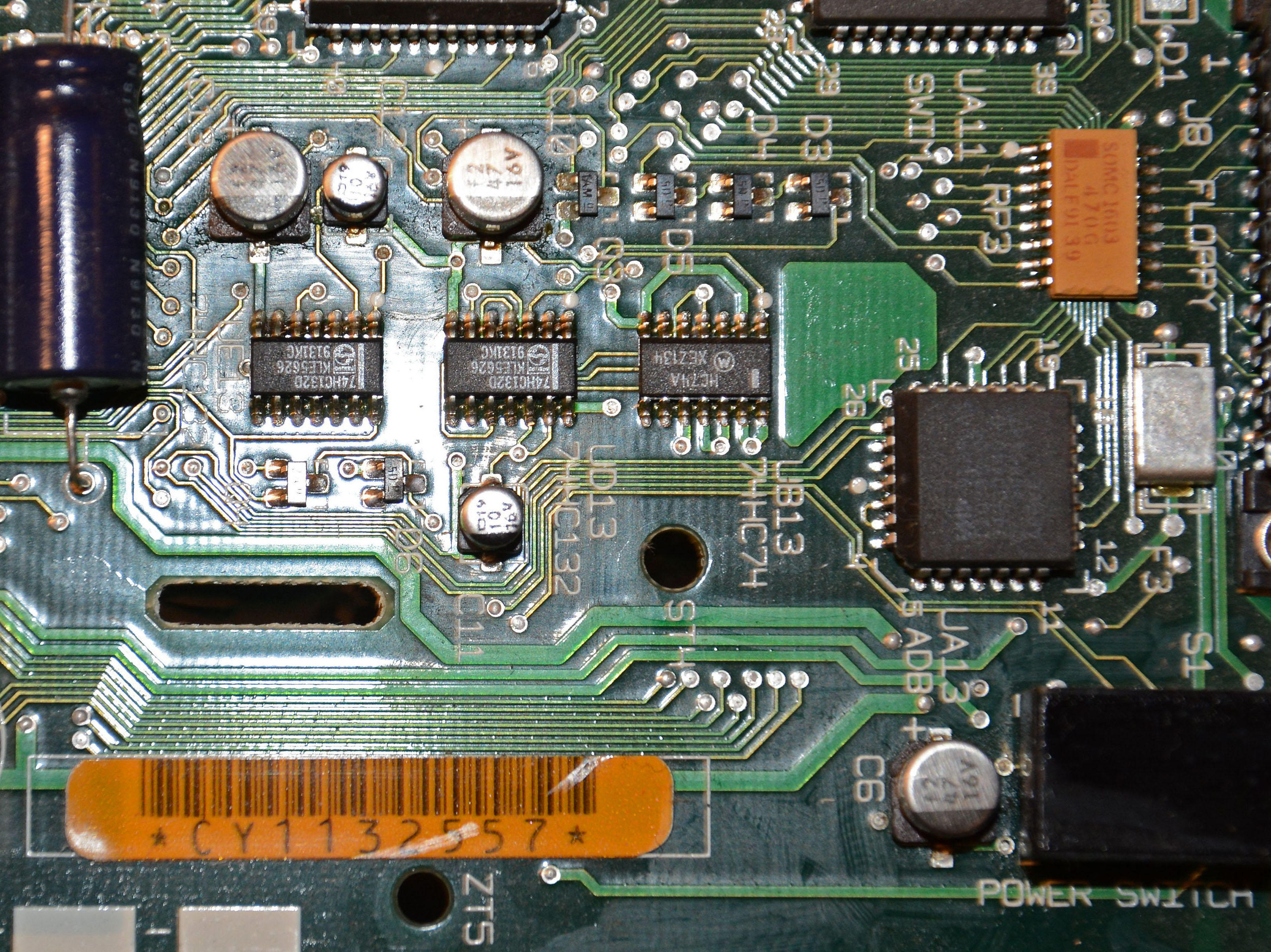
I have repaired two Plus Macs and both had leaked electrolyte on the analog
board. As a result, voltages were out of tolerance for the rest of the
computer. One also had a problem with an X2 cap exploding and white smoke
followed. That was a little exciting and scary at the time.
IIRC, there are only a few axial caps on the digital board, they should be fine
as you mentioned but if the voltages are out of tolerance, due to failed caps
on the analog board, it will have a knock on effect on the digital board. I
once followed Pina's book to try and adjust R56 on the Plus analog board to 5V
(without success) before I looked for dry joints and eventually found the
electrolyte. Once the caps were replaced, the Plus booted as normal and flashed
the floppy icon with the question mark. I did have to readjust R56 down to 5V.
I see that I wrote 'missing or faulty RAM' but I take your point that
incorrectly seated RAM can also cause problems. As will ROM chips that need to
be reseated. I'm not sure if I am getting all of the emails from the group as
some do, on occasion, end up in my spam folder. I haven't seen any other posts
from Ian as to the characters under the sad Mac icon.
The early Compacts did not have an internal fan and heat is a big problem if
the Mac is situated near a heat source or a window where sunlight would
exacerbate the problem of heat on the electrolytic caps..
I've also had issues with some later Classics with nicotine and lint fouling.
That required extreme cleaning in a dishwasher.
Ian hasn't mentioned if he has removed the back of the Mac. There could be a
whole host of other problems inside that we cannot predict. If there is any
evidence of corrosion on the connectors, the Mac may have been sitting in water
or a damp environment and this may have affected the digital board as well. We
can but guess at solutions until more information is available.
I hope Ian posts soon so we can assist him in narrowing down the problem,
Cheers,
Keith
    On Wednesday, 6 February 2019, 19:16:38 GMT, Jerri Kohl
<[email protected]> wrote:

 Keith,
Have you seen or heard of electrolytic capacitors on pre-SE/30 compact Macs
leaking? These would all be through-hole capacitors, which hold up quite well
compared to SMD ones. Apple didn't switch to SMD caps on compact Macs until the
SE/30. The general consensus on earlier compact Macs is to leave the caps alone
unless there is a (rare) problem (e.g smell a fishy smell). Of course, they can
and will die eventually, and leak their fluid. It's just not common.
*Much* more common is the battery leaking, and you noted that problem. That's
my vote. Or if it's a Plus or has any kind of internal upgrade, the SIMMs or
upgrade board may be loose.
Best,Jerri
On Tue, Feb 5, 2019 at 4:12 PM 'Keith Jamison' via Vintage Macs
<[email protected]> wrote:
 Hi Ian,
I'm with Jerri Kohl on this.
A SAD MAC indicates an issue with the hardware. That means it could be missing
or faulty RAM, leaked capacitors or some other faulty component. That is always
down to the digital board (logic board, motherboard).
The fact that it powers on does not exclude the analog board where the power
supply and video circuits are found. Some of the power circuits may be out of
tolerance (age related and a result of temperatures and old components) and as
such they may not be feeding the correct voltages back to the digital board.
If this is what you see: Sad Mac icon

|
|
|
|  |  |

 |

 |
|
|  |
Sad Mac icon

A Sad Mac is a symbol used by older-generation Apple Macintosh computers
(hardware using the Old World ROM), sta...
 |

 |

 |


Then it would be helpful to know what the two numbers are under the sad Mac.
The symbol for no system folder (i.e. no disk with a system file) is this (see
Figure 1):
How to Generate Floppy Disks for Old Macintosh Computers - Hardware Secrets


|
|
|
|  |  |

 |

 |
|
|  |
How to Generate Floppy Disks for Old Macintosh Computers - Hardware Secrets

Gabriel Torres

Did you buy an old Macintosh computer, but it didn’t come with programs and the
operating system disks? In this ...
 |

 |

 |


If you are not handy with a soldering iron, you may be able to find someone
local, or certainly within a reasonable distance who can replace the
electrolytic capacitors and any other damaged components.
This image shows some deposits around the capacitors on the digital board:
http://crasno.ca/articles/img/MacIIciBadCaps.jpg

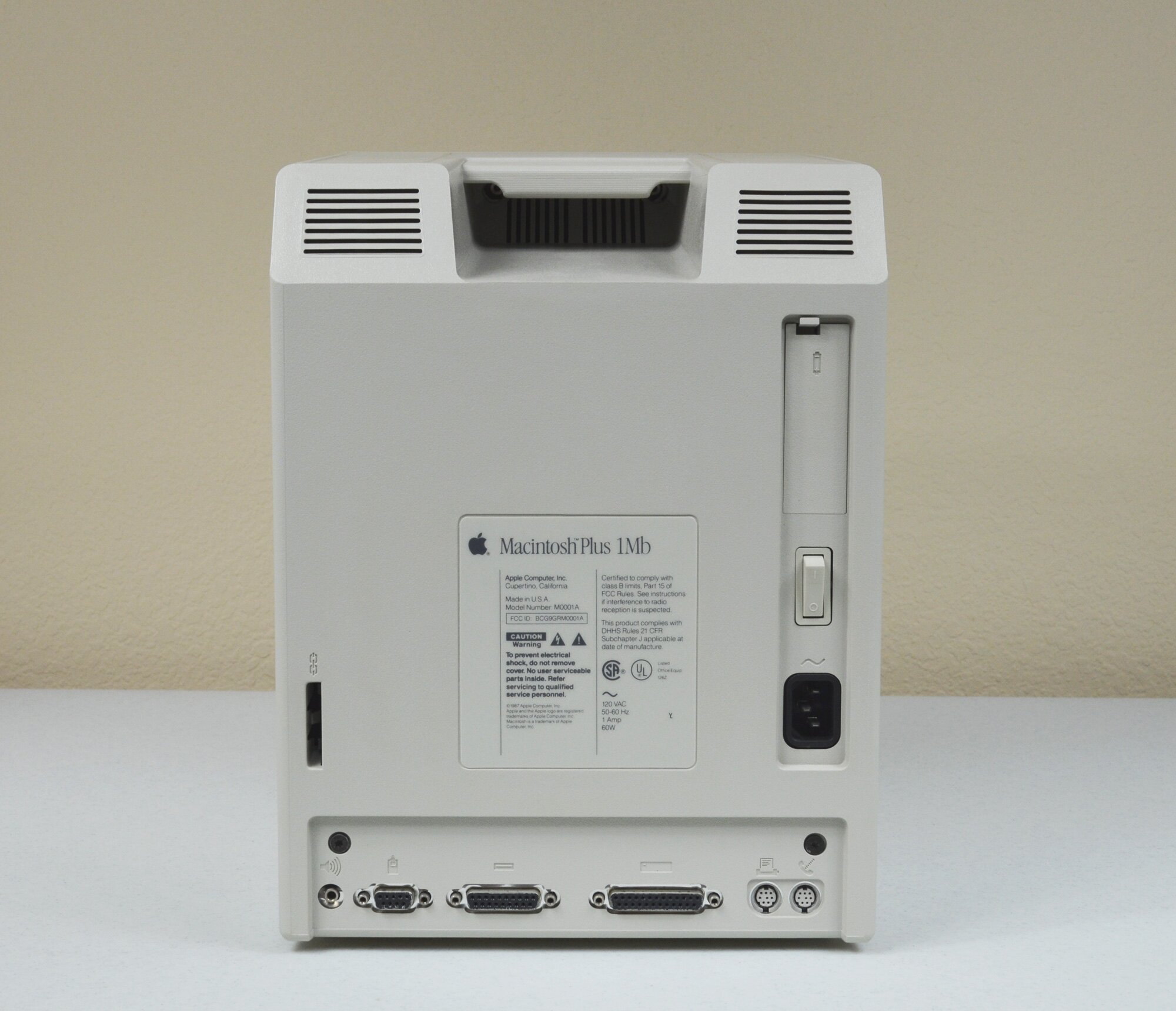
This image shows the rear of the Macintosh Plus
http://www.vectronicscollections.org/apple/images/macintoshplus/msnap2.jpg

If you zoom into the image, you can see in the left hand column Model Number
M0001A which identifies the Plus.
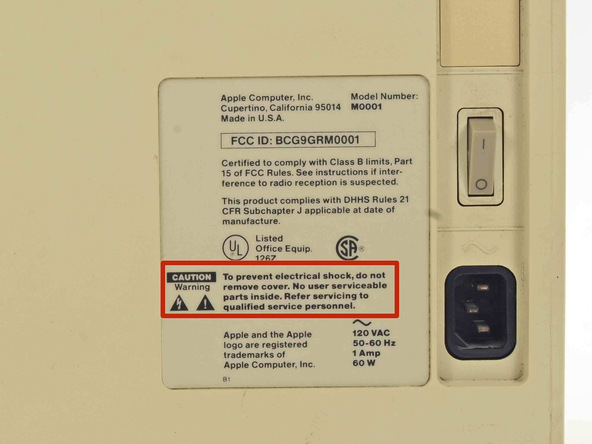
This image shows a Macintosh 512k:
http://www.vectronicscollections.org/apple/images/macintosh512k/macintosh512K_msnap2.jpg

Over towards the power switch, above the characters 512K is the Model Number
M0001W
This image shows a Macintosh 128k:
https://www.filfre.net/wp-content/uploads/2016/09/AwgXEL5dnYbIVWuo.medium.jpg

Again, towards the power switch, the Model Number is given as M0001
This is important for the following reason. Some folks chose to upgrade their
original Macs by sending it back to Apple. Apple removed the original logic
board, installed a new logic board and, as some external connections may have
been different from the original, they installed a new back to reflect the
actual logic board inside.
This means that some original 128k and 512k Macs have Plus logic boards and
Plus backs while the front of the casing still looks like a 128k or a 512k. The
front casing should also have a SERIAL NUMBER label beside the brightness
control, you will have to tip the computer carefully onto it's back to see the
label and it likely refers to the original build, not the upgraded version.
If you have a 128K, 512K or Plus, there should be a battery compartment above
the power switch. The compartment is a little larger than a AA battery.
Hopefully there is no battery in there, or, if there is a battery, hopefully it
hasn't leaked.
I'm still leaning towards some leaky electrolyte on the digital board. It can
bridge circuit connections and cause spurious short circuits.
Hope this helps you to determine the model and diagnose the fault.
Keith


    On Sunday, 27 January 2019, 11:25:21 GMT, Ian <[email protected]>
wrote:

 Hi, folks,

I have an early Mac, it has the square RJ11 keyboard connector, DB mouse
connector and a single floppy drive.

It boots to the screen, but displays the "sad mac" icon, as I do not
have a startup disk.

I understand that this is a 400 k, single-sided disk.

I do have another Mac, but it's an SE30 with the double-sided
higher-capacity drives.

So, (i) can I get a suitable disk from you or one of your members, or
(ii) is it possible to make a 400 k boot disk on my SE30 (I have plenty
of spare disks).

I do have a complete set of setup disks for System 6 and System 7, but I
understand that these will also have the incompatible high-capacity format.

Thanks in advance,

Ian Batty, Secretary, Historical Radio Society of Australia,

79 Rosebud Avenue,

Rosebud, 3939, Victoria

mob' 0402 736 527


---
This email has been checked for viruses by AVG.
https://www.avg.com

--
--
-----
You received this message because you are a member of the Vintage Macs group.
The list FAQ is at http://lowendmac.com/lists/vintagemacs.shtml and our
netiquette guide is at http://www.lowendmac.com/lists/netiquette.shtml
To post to this group, send email to [email protected]
To leave this group, send email to [email protected]
For more options, visit this group at
http://groups.google.com/group/vintage-macs

Support for older Macs: http://lowendmac.com/services/
---
You received this message because you are subscribed to the Google Groups
"Vintage Macs" group.
To unsubscribe from this group and stop receiving emails from it, send an email
to [email protected].
For more options, visit https://groups.google.com/d/optout.


--
--
-----
You received this message because you are a member of the Vintage Macs group.
The list FAQ is at http://lowendmac.com/lists/vintagemacs.shtml and our
netiquette guide is at http://www.lowendmac.com/lists/netiquette.shtml
To post to this group, send email to [email protected]
To leave this group, send email to [email protected]
For more options, visit this group at
http://groups.google.com/group/vintage-macs

Support for older Macs: http://lowendmac.com/services/
---
You received this message because you are subscribed to the Google Groups
"Vintage Macs" group.
To unsubscribe from this group and stop receiving emails from it, send an email
to [email protected].
For more options, visit https://groups.google.com/d/optout.


--
--
-----
You received this message because you are a member of the Vintage Macs group.
The list FAQ is at http://lowendmac.com/lists/vintagemacs.shtml and our
netiquette guide is at http://www.lowendmac.com/lists/netiquette.shtml
To post to this group, send email to [email protected]
To leave this group, send email to [email protected]
For more options, visit this group at
http://groups.google.com/group/vintage-macs

Support for older Macs: http://lowendmac.com/services/
---
You received this message because you are subscribed to the Google Groups
"Vintage Macs" group.
To unsubscribe from this group and stop receiving emails from it, send an email
to [email protected].
For more options, visit https://groups.google.com/d/optout.


--
--
-----
You received this message because you are a member of the Vintage Macs group.
The list FAQ is at http://lowendmac.com/lists/vintagemacs.shtml and our
netiquette guide is at http://www.lowendmac.com/lists/netiquette.shtml
To post to this group, send email to [email protected]
To leave this group, send email to [email protected]
For more options, visit this group at
http://groups.google.com/group/vintage-macs

Support for older Macs: http://lowendmac.com/services/
---
You received this message because you are subscribed to the Google Groups
"Vintage Macs" group.
To unsubscribe from this group and stop receiving emails from it, send an email
to [email protected].
For more options, visit https://groups.google.com/d/optout.