Hi Ian,
In order to boot, the Mac has to get past that sad Mac icon.
When you switch on and see a floppy disk icon with a question mark, that is
when you should be able to boot.
Can you provide any further information about the Mac please? Specifically
which model is it?
Thanks,
Keith.


Sent from Yahoo Mail for iPhone


On Wednesday, February 6, 2019, 10:17 pm, Ian <[email protected]> wrote:


Hi, folks,

I got the Mac at a recycling shop with keyboard, mouse and nothing else.

I have formatted a single-sided disk on one of my SE30s, but do not know how to
put the system files onto it.

I'm assuming that this is now a 400 kilobyte (400 k) disk


The reset switch at the lower rear left of the case has been installed, and it
works just fine, i.e., it is not jammed on.

If I can get the system files onto my 400 k disk I will be able to report
whether the system is able to boot.


Any ideas?

Cheers,

Ian.

 On 07-Feb-19 9:09 AM, 'Keith Jamison' via Vintage Macs wrote:


 Hi Ian,
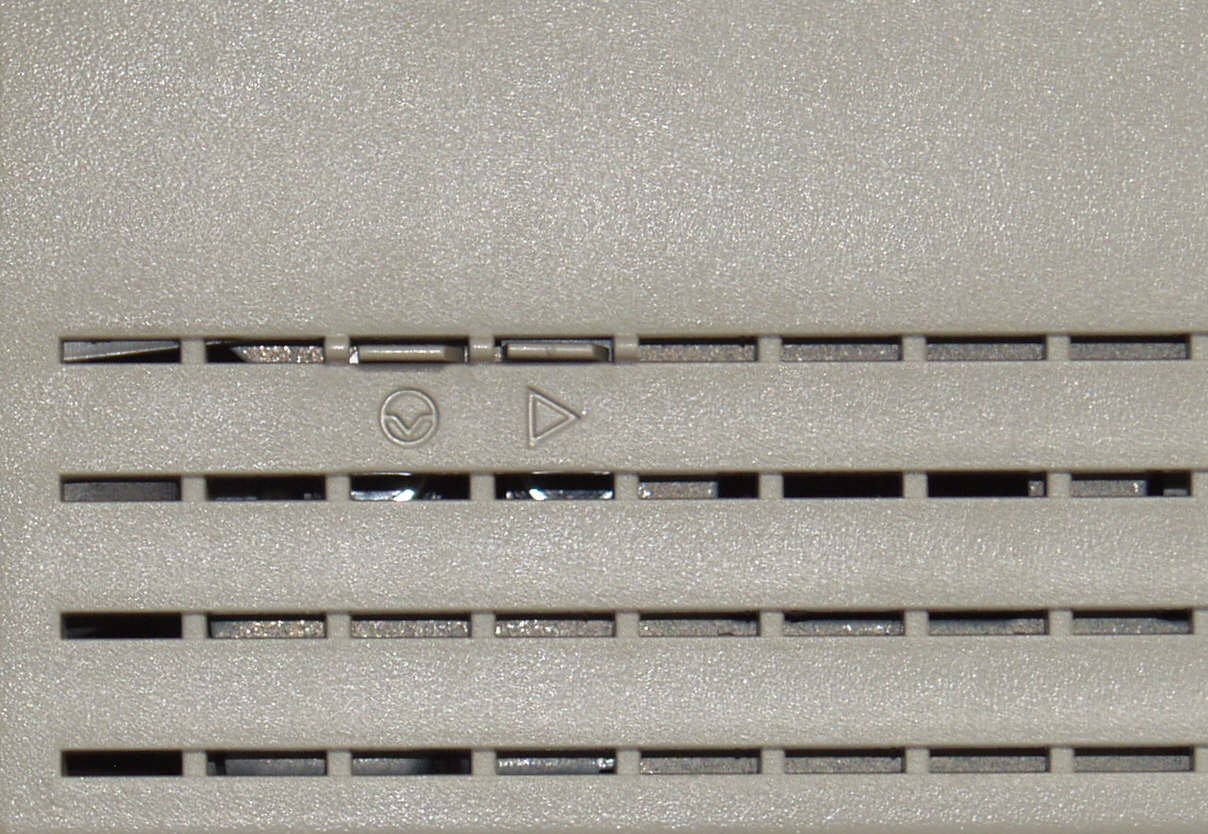
  You may also look for a programmer switch on your Mac. This is an image of
what it looks like for a 128, 512 or Plus:
  http://facstaff.cbu.edu/~cyelving/PlusSwitch.jpg

  And for an SE, SE FDHD and SE/30:
  http://www.ccadams.org/se/switch.gif

  Later models look like this,

https://upload.wikimedia.org/wikipedia/commons/1/1d/Macintosh_Classic_II_Left_Side_Reset_Interrupt_Switch.jpg

  They are located to the rear of the computer, along the left hand side of the
casing, near the bottom. Check also that nothing appears to be jammed into this
area or broken and pushed in.
  It could be that the interrupt or programmers switch has been pressed in and
this will keep the computer in a repetitive null loop where it is unable to
complete the start up process.
  Can you tell us something about the history of this Mac, please? Where you
got it, what the seller said about it, did you see it working when you bought
it. If there is nothing evident on the outside, then the next step would be to
remove the rear case to investigate further on the inside. You'll need a long
(8 inch minimum length for the shaft) T15 Torx screwdriver to remove the
screws. A 1/4" Torx bit in a holder won't get in far enough to engage with the
screws. There are very long Torx drivers that were originally made for Macs but
a regular T15 from Home Depot, B&Q (U.K.) or a similar hardware store will be
fine.
  Depending on the Mac you have, you'll need to remove five (128, 512, Plus) or
four screws (later models).
  cheers,
  Keith
   --
 --
 -----
 You received this message because you are a member of the Vintage Macs group.
 The list FAQ is at http://lowendmac.com/lists/vintagemacs.shtml and our
netiquette guide is at http://www.lowendmac.com/lists/netiquette.shtml
 To post to this group, send email to [email protected]
 To leave this group, send email to [email protected]
 For more options, visit this group at
http://groups.google.com/group/vintage-macs

 Support for older Macs: http://lowendmac.com/services/
 ---
 You received this message because you are subscribed to the Google Groups
"Vintage Macs" group.
 To unsubscribe from this group and stop receiving emails from it, send an
email to [email protected].
 For more options, visit https://groups.google.com/d/optout.
 --
Best regards,

Ian Batty,

79 Rosebud Avenue,

Rosebud, 3939, Victoria

Mob' 0402 736 527

|  | Virus-free. www.avg.com  |


--
--
-----
You received this message because you are a member of the Vintage Macs group.
The list FAQ is at http://lowendmac.com/lists/vintagemacs.shtml and our
netiquette guide is at http://www.lowendmac.com/lists/netiquette.shtml
To post to this group, send email to [email protected]
To leave this group, send email to [email protected]
For more options, visit this group at
http://groups.google.com/group/vintage-macs

Support for older Macs: http://lowendmac.com/services/
---
You received this message because you are subscribed to the Google Groups
"Vintage Macs" group.
To unsubscribe from this group and stop receiving emails from it, send an email
to [email protected].
For more options, visit https://groups.google.com/d/optout.


--
--
-----
You received this message because you are a member of the Vintage Macs group.
The list FAQ is at http://lowendmac.com/lists/vintagemacs.shtml and our
netiquette guide is at http://www.lowendmac.com/lists/netiquette.shtml
To post to this group, send email to [email protected]
To leave this group, send email to [email protected]
For more options, visit this group at
http://groups.google.com/group/vintage-macs

Support for older Macs: http://lowendmac.com/services/
---
You received this message because you are subscribed to the Google Groups
"Vintage Macs" group.
To unsubscribe from this group and stop receiving emails from it, send an email
to [email protected].
For more options, visit https://groups.google.com/d/optout.